 ClimWeb Documentation
Important Pages
Purpose
This panel tells ClimWeb where “well-known” pages live in the page tree (the News index, the Contact Us page, and so on).
To open it: Settings → Important Pages.
Screenshot
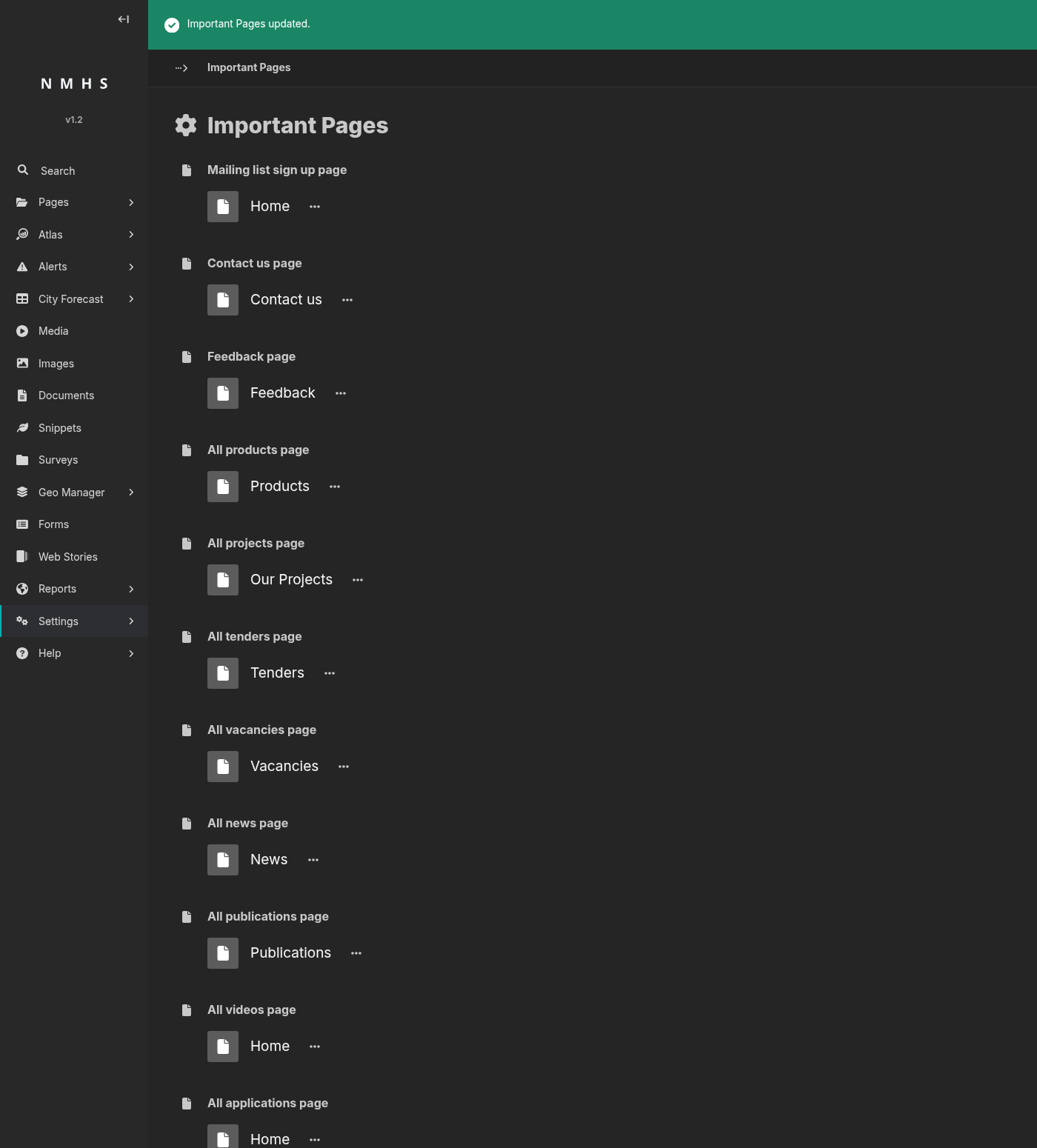
Field Reference
Field |
Type |
Required |
Description |
|---|---|---|---|
Mailing list sign up page |
Page chooser |
No |
Newsletter sign-up CTAs. |
Contact us page |
Page chooser |
No |
“Contact us” links in headers, footers, and forms. |
Feedback page |
Page chooser |
No |
Feedback links and prompts. |
All products page |
Page chooser |
No |
Unused. |
All projects page |
Page chooser |
No |
“See all projects” links from project detail pages. |
All tenders page |
Page chooser |
No |
Unused. |
All vacancies page |
Page chooser |
No |
Unused. |
All news page |
Page chooser |
No |
“See all news” links from news article pages. |
All publications page |
Page chooser |
No |
“See all publications” links from publication detail pages. |
All videos page |
Page chooser |
No |
Unused. |
All applications page |
Page chooser |
No |
Unused. |
All events page |
Page chooser |
No |
“See all events” links from event detail pages. |
All partners page |
Page chooser |
No |
“Our partners” links and partner listing CTAs. |
CAP Warnings List page |
Page chooser |
No |
Adds a link to your alert listing page in the site navigation and the home page weather section. Only shown when the site is configured as a meteorological service. |
All fields are optional. A blank field means the corresponding link won’t render on the public site.