Skip to content
Wagtail ClimWeb Documentation
  • En
  • Fr
  • Sw
  • Introduction
  • Rationale
  • Technology
  • Pilot Phase
  • Find Your Way Around
  • Pages
    • Organisation Pages
      • About Page
      • Partners Page
      • Projects
      • Tenders
      • Vacancies
    • Products
    • Services
    • News
    • Publications
    • Flexible Pages (Flex Page)
  • Configure Settings
    • Homepage Map Settings
    • Two-Factor Authentication (2FA)
    • Base Settings
    • Menus
    • Users & Roles
    • Workflows
  • Content Assets
    • Images
    • Documents
    • Collections
    • Snippets
    • Surveys
    • Forms
  • CAPComposer (CAP Alerts)
    • CAPComposer Features
    • CAPComposer Base Settings
    • Setting Boundaries
    • CAP Composer and Approver Roles and Publishing Workflows
    • Creating CAP Alerts
    • Generating PNG/PDF
  • City Forecasts
  • Mapviewer
  • Atlas | Interactive Dashboards
    • Creating Dashboard Gallery
    • Creating a Dashboard Page
    • Creating Reusable Maps and Charts (Snippets)
    • Block Layout Rules
    • FAQs
    • Troubleshooting
  • Mailing Integrations
  • Frequently Asked Questions (FAQs)
  • Technical Guides
    • Development
      • Running the dev environment
      • ./dev.sh
      • Environment Variables
      • Directory Structure
      • Development tools
    • General Architecture
    • Backup and Restore Guide
    • Management Commands
    • Extending Climweb
      • Plugin Overview
      • Plugin Installation
      • Creating a Plugin
      • Plugin Boilerplate
  1. Docs
  2. Configure Settings
  3. Menus
Edit on GitHub View source

Menus

Managing Top Navigation

Top Navbar

The menu items of the top navigation of the website can be added/edited or removed. to access the menu configurations in the ClimWeb, click on the settings and main menu on the left sidebar.
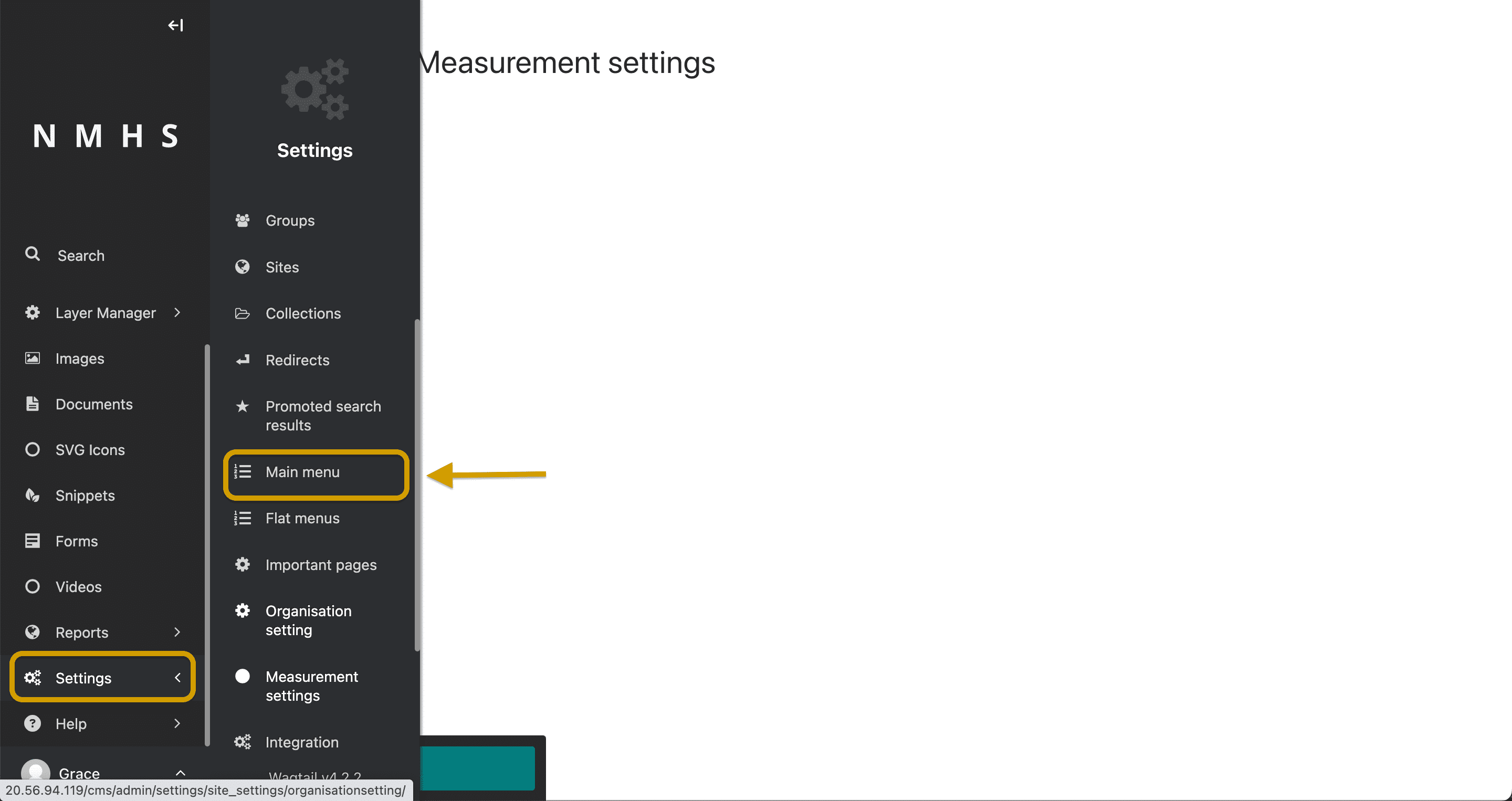
Top Navbar

Depending on whether a child page allows for sub menu items or not the navbar dropdown will be displayed. Each menu item takes in a:

  • link to an internal page / link to a custom URL

  • Option to append a value to the url

  • The link display text

  • Handle (Use this field to optionally specify an additional value for each menu item, which you can then reference in custom menu templates.)

  • Submenu visibility option

Manage Menu Items

Managing Footer Navigation

Footer

Similarly, to configure the footer, select settings on the left sidebar and select flat menus instead.
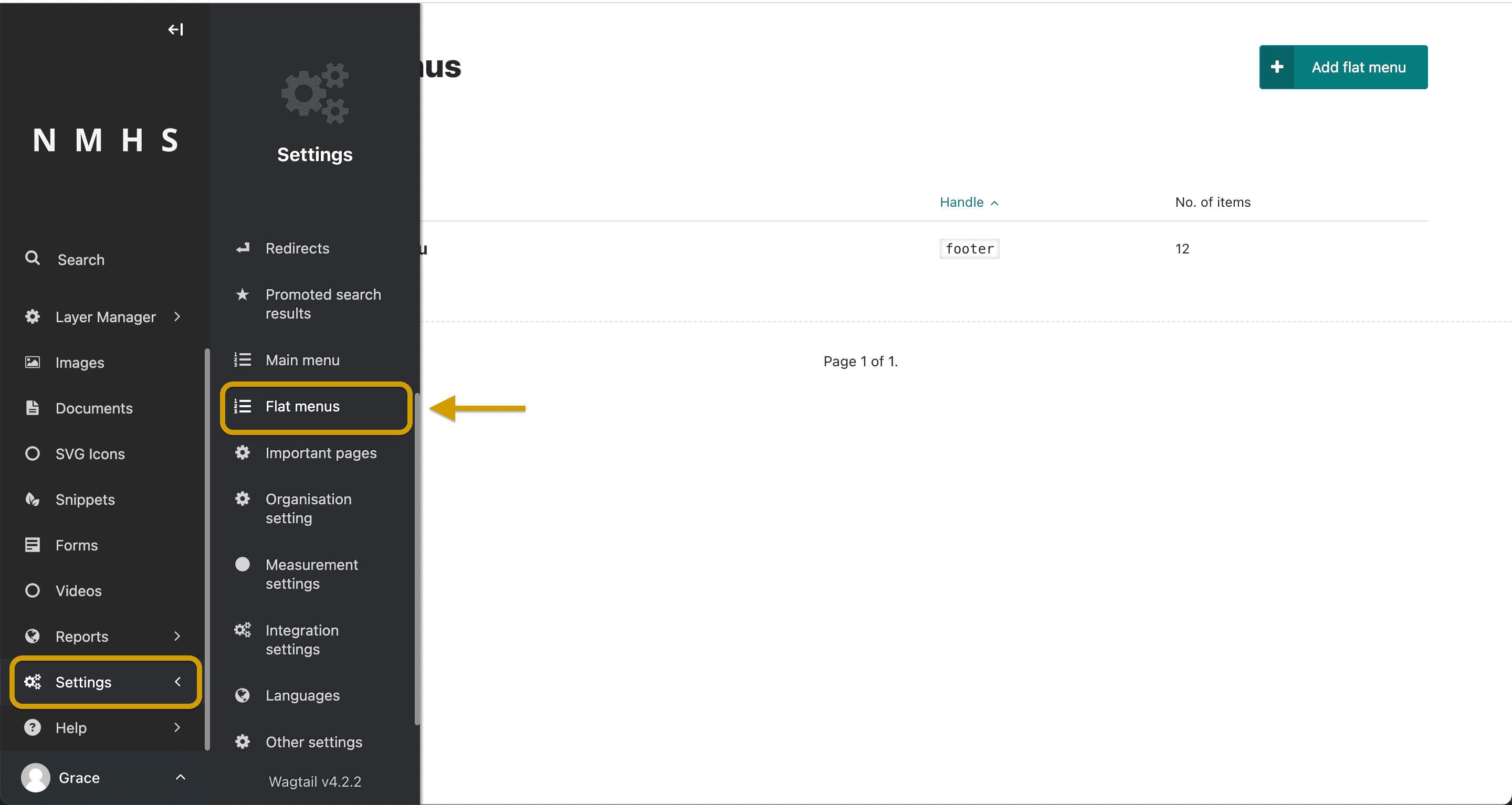
Footer

Edit footer menu and add menu items. You can group pages by giving them the same handler name. For example, weekly forecast and monthly forecasts can be grouped in ‘Products’ handler.
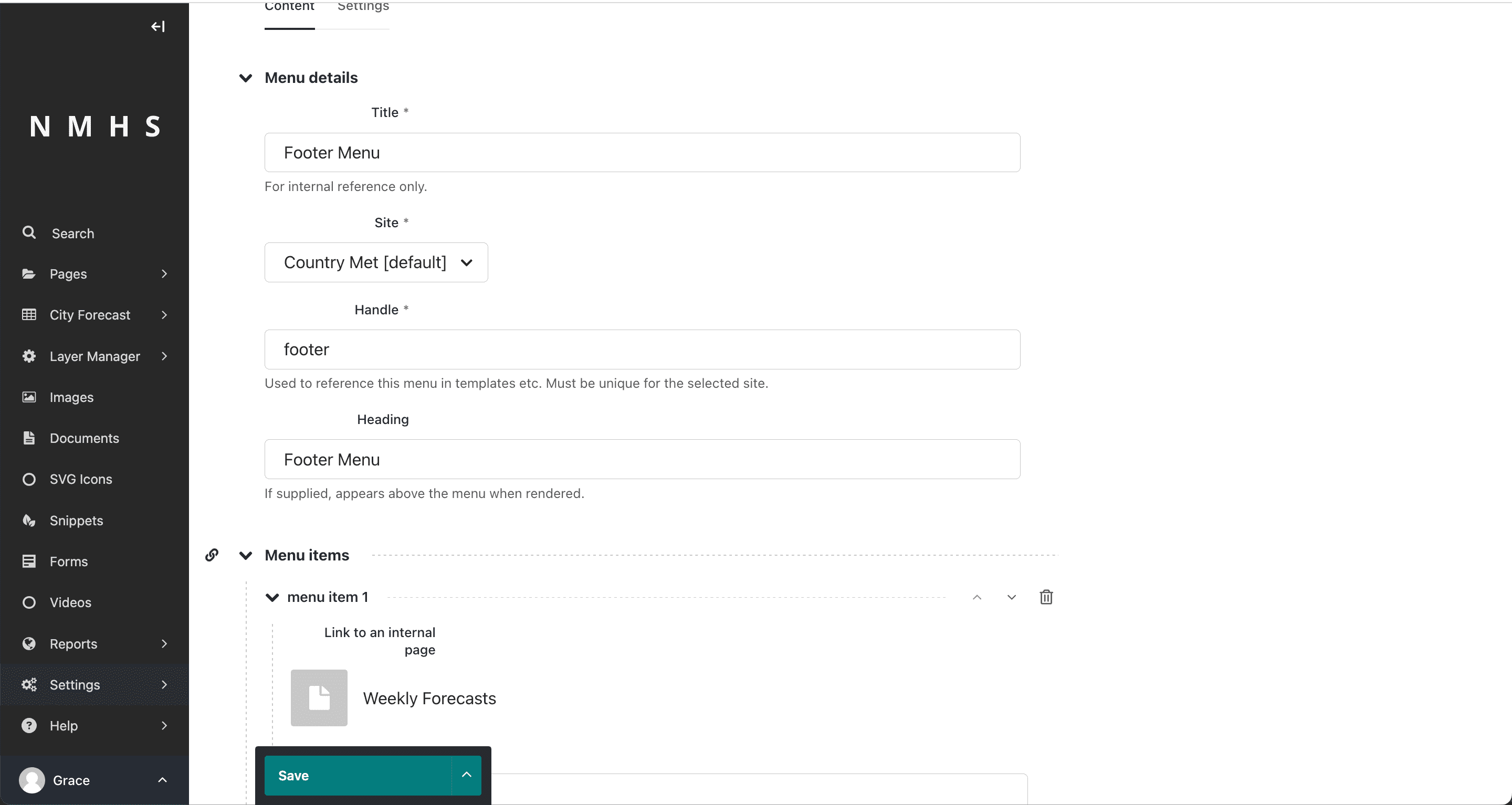
Edit Footer

← Base Settings Users & Roles  →

Page contents

  • Menus
    • Managing Top Navigation
    • Managing Footer Navigation
  • Demo
  • Packages
  • Developers
© Copyright 2026, WMO Regional Office For Africa
Last updated: Apr 07, 2026 Created using Sphinx Wagtail Theme 6.5.0 and Sphinx 9.0.4